
AI Presentation Maker for Your Documents, Research and Reports
ChatSlide is the best AI presentation maker for starting from the material you already have: a PDF, Word or Excel file, an existing deck, a web page or a YouTube video. It drafts an outline for you to review, builds the slides in the theme you pick, and lets you edit every slide before you export to PowerPoint, Keynote, PDF or video.
Start free with 100 credits. No credit card required.
Used by students, faculty and teams at


What others say about ChatSlide

#1 Product of the Day on Product Hunt, April 13, 2024
Product Hunt
“ChatSlide AI: Best for Intelligent Document-to-Slide Conversion”
Ranked #1 of 7 PDF-to-PowerPoint tools
Kuse, March 2026
“ChatSlide is a good value pick for turning documents into both slides and narrated video lessons”
Value pick for documents to slides and narrated video
Stork.ai, November 2026
Watch a PDF become a presentation
A real walkthrough in the ChatSlide editor, from uploading a PDF to exporting the finished PowerPoint.
300,000+
Users
165,000+
Presentations Created
750+
Universities
24
Languages
Everything You Need to Create Presentations
Upload PDFs, Word and Excel files, PowerPoint decks or web pages. ChatSlide pulls out the key points, figures and tables and turns them into a slide outline. You can combine several files into one deck.
Pick a theme, or add your own logo and colors, and every slide follows the same layout rules. You can switch the theme later without redoing the content.
Turn a finished deck into a narrated video with a preset voice, your own cloned voice or an AI avatar. Useful for training, course lessons and async sales follow-ups.
When your source has numbers or tables, ChatSlide builds bar, line, pie and comparison charts from them. Each chart stays editable.
Generate slides in 24 languages, including English, Spanish, French, German, Chinese, Japanese, Korean, Arabic, Hindi and Vietnamese, or translate an existing PowerPoint into another language.
Download an editable .pptx, a Keynote file, a PDF or an MP4 video, or share the deck with a link.
Paste a YouTube link and ChatSlide builds slides from the transcript, which suits recorded talks, webinars and lectures.
Search PubMed from inside ChatSlide and pull papers straight into your slides with their references, which is why clinicians and researchers use it for journal clubs, grand rounds and conference talks.
Scanned pages and images of text are read with OCR, so older printed material can become slides too.
How It Works
Upload Your Content
Upload a PDF, Word or Excel file, a PowerPoint deck or a web page, paste a YouTube link, or just type your topic. You can add several files at once.
AI Generates Outline
ChatSlide reads your material and drafts a slide-by-slide outline. Edit, reorder or remove points before any slides are made.
Pick a Design Theme
Choose a theme for business, teaching, research or marketing, or apply your own brand colors and logo.
Get the Full Deck
ChatSlide builds every slide with text, images, charts where your data supports them, and speaker notes. A typical deck takes a few minutes, depending on the source length and slide count.
Customize Every Slide
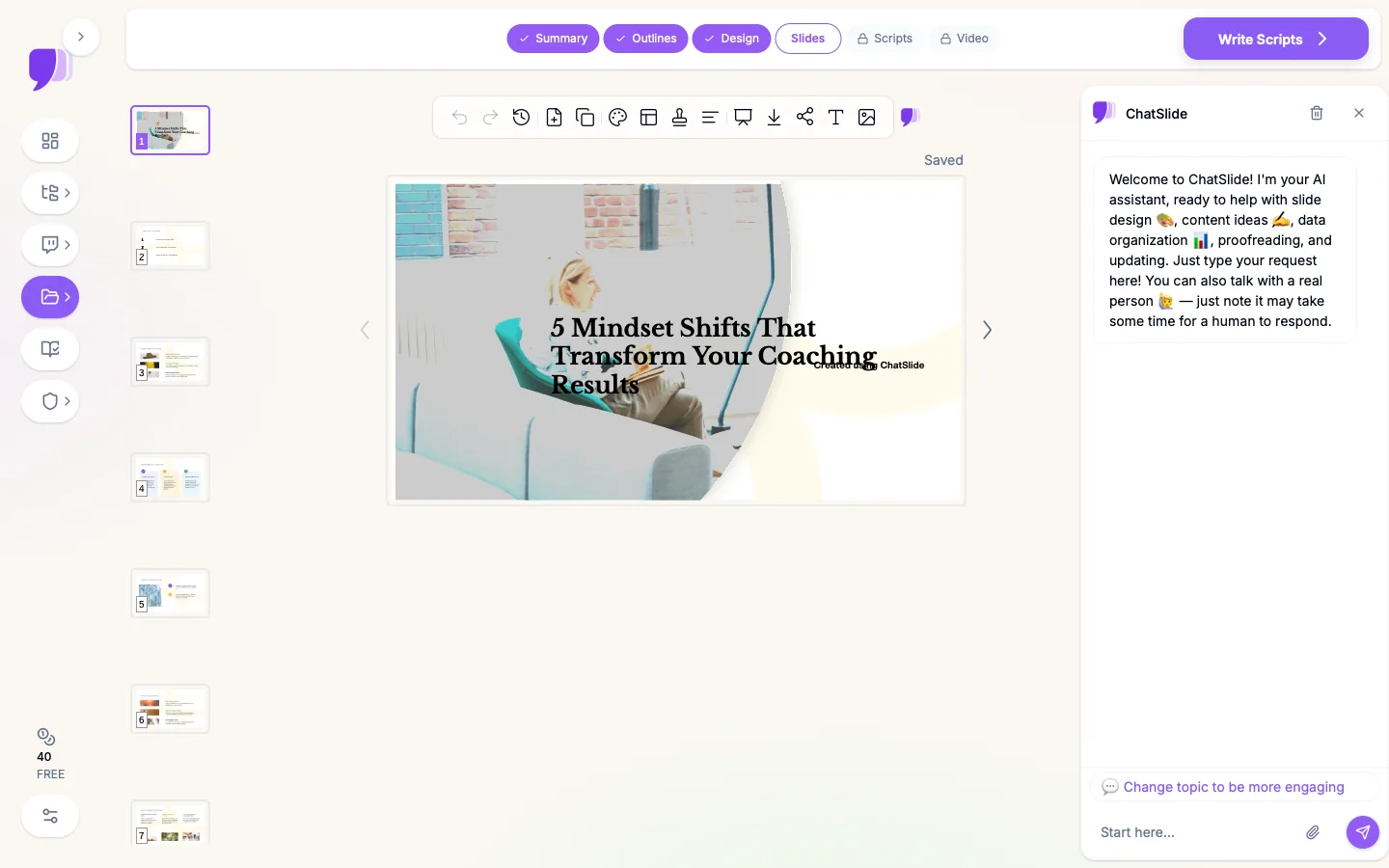
Change text, swap images, adjust layouts and edit charts in the editor. Nothing is locked.
Narrate, Export, and Share
Add narration with a preset voice, your cloned voice or an AI avatar, then export to PowerPoint, Keynote, PDF or video, or share a link.
Built for Every Presentation Need
Quarterly reviews, strategy decks, board updates and team presentations. People at Amazon and PwC use ChatSlide to turn reports and notes into slides.
Pitch decks, product demos, client proposals and sales enablement decks that export cleanly to PowerPoint.
Lecture slides, thesis defenses, capstone projects and course materials. Students and faculty at more than 750 universities use ChatSlide, including NYU, the University of Michigan, UC Berkeley and Stanford.
Turn research papers, PubMed articles and clinical reports into conference talks and journal-club decks, with the references carried into the slides.
Onboarding, compliance and product training decks. Add narration or an AI avatar to turn the same deck into a training video for remote teams.
Investor decks, demo-day talks and grant proposals. Upload a draft or a memo and get a structured deck to refine before the meeting.
Clinical summaries, case reports, medical education and patient materials, with PubMed search and OCR for printed references.
Keynotes, webinars, workshops and panels. Every deck comes with speaker notes so you can rehearse straight away.
What users say
“I tried different tools for making presentations with AI - also the famous one like Tome. So i also tried ChatSlide and was impressed - you get a great output with very little effort!”

“There is an excellent AI service for this, ChatSlide, it can quickly and easily turn any website, video or document into a presentation.”

“ ChatSlide surpasses similar software and shows potential to rival industry leaders. I wholeheartedly recommend it to educators, especially for course creation.”

Frequently Asked Questions
ChatSlide is one of the best AI presentation makers in 2026, especially when you start from real material. Some tools only work from a short prompt. ChatSlide takes PDFs, Word and Excel files, existing decks, web pages and YouTube videos, several at once. You review the outline before slides are made, every slide stays editable, and you can export an editable PowerPoint, a PDF, Keynote or a narrated video.
It reads your input (a document, outline, topic or link), picks out the key ideas, orders them into a narrative, lays them out on slides and writes short slide text. ChatSlide also writes speaker notes, builds charts from your data and can add narration. You get a full first draft to edit, rebrand and export.
You can start free. A new account gets 100 credits with no credit card, enough to try several decks. Paid plans start at $14.90 a month and add more credits, longer decks, AI video and voice cloning.
Yes, and it is one of the most common ways people use it. ChatSlide reads the text, tables and figures, reads scanned pages with OCR, and builds a deck that follows the document. It works well for research papers, business reports, proposals and legal documents.
Gamma, Canva and PowerPoint all offer AI features. ChatSlide focuses on turning existing material into a deck: it takes several documents at once, searches PubMed, reads scanned pages, builds charts from your data, writes speaker notes and can turn the deck into a narrated video. It exports an editable .pptx, so you can keep working in PowerPoint.
Yes. ChatSlide generates slides in 24 languages, including English, Spanish, French, German, Chinese (simplified and traditional), Japanese, Korean, Arabic, Hindi and Vietnamese. You can also translate an existing PowerPoint into another language.
Yes. After the deck is made, ChatSlide can turn it into a narrated video with a preset voice, your cloned voice or an AI avatar. People use this for training, onboarding, course lessons, sales follow-ups and product explainers, without a separate voiceover or video tool.
Because it starts from papers rather than a blank prompt. You can search PubMed inside ChatSlide, upload several PDFs, and have scanned pages read with OCR. The deck keeps the references, builds charts from the reported data, and includes speaker notes for journal clubs, grand rounds and conference talks.
Yes. Export an editable PowerPoint (.pptx), a Keynote file or a PDF, or share the deck with a link. You can keep editing the .pptx in PowerPoint.
Yes. When your source has numbers, spreadsheets or tables, ChatSlide builds bar, line, pie, comparison and trend charts from them. You can regenerate a chart, change its type or edit its styling.
A typical deck takes a few minutes. Longer source documents and higher slide counts take longer. You review the outline first, so most of the time is yours to spend on content rather than layout.
Yes. Every slide gets speaker notes drawn from your source, with talking points and extra context. They carry into PowerPoint presenter view when you export.
Yes. Teams use ChatSlide for recurring sales decks, quarterly reviews, training modules, and internal communications. Brand templates keep design consistent, AI narration scales training to remote teams, and export to PPTX and Keynote fits into existing IT ecosystems. For enterprise use cases that need SSO, centralized billing, and custom retention, contact the ChatSlide team for enterprise pricing.
Choose it when your presentation starts from real material. ChatSlide takes several documents at once, searches PubMed, reads scanned pages, builds charts from your data, writes speaker notes, works in 24 languages and can turn the finished deck into a narrated video, all in one place, with an editable PowerPoint export.
Ready to Create Your Next Presentation with the Best AI Presentation Maker?
Start free with 100 credits. No credit card required.